
Sway — by OdysseyHQ
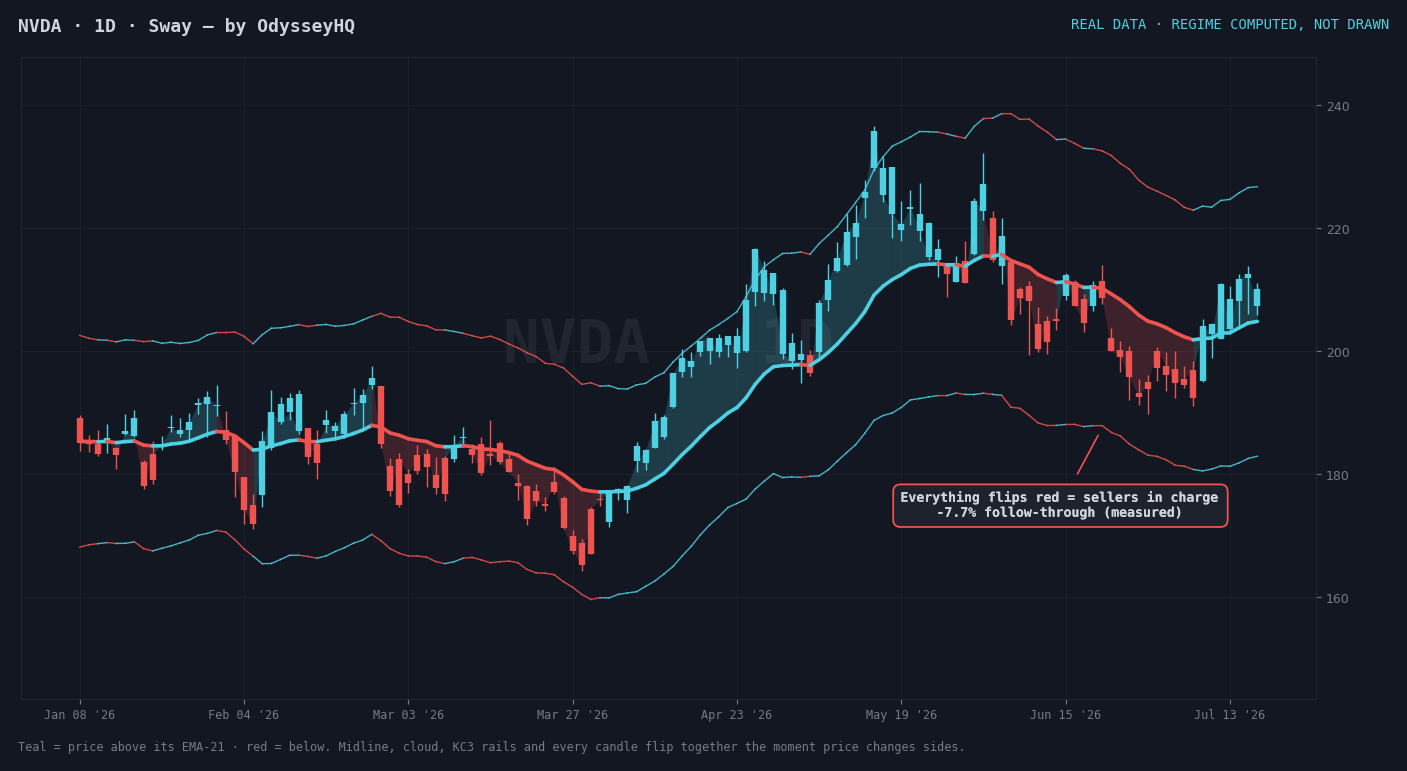
One glance tells you the regime — an EMA-21 midline, trend cloud and wide Keltner rails that all flip color the moment price changes sides.
This script is exclusive to NBT Pro members — go Pro and claim it in one click, right here.
Real charts · signals computed by the indicator's rules, not drawn
About this Pine Script
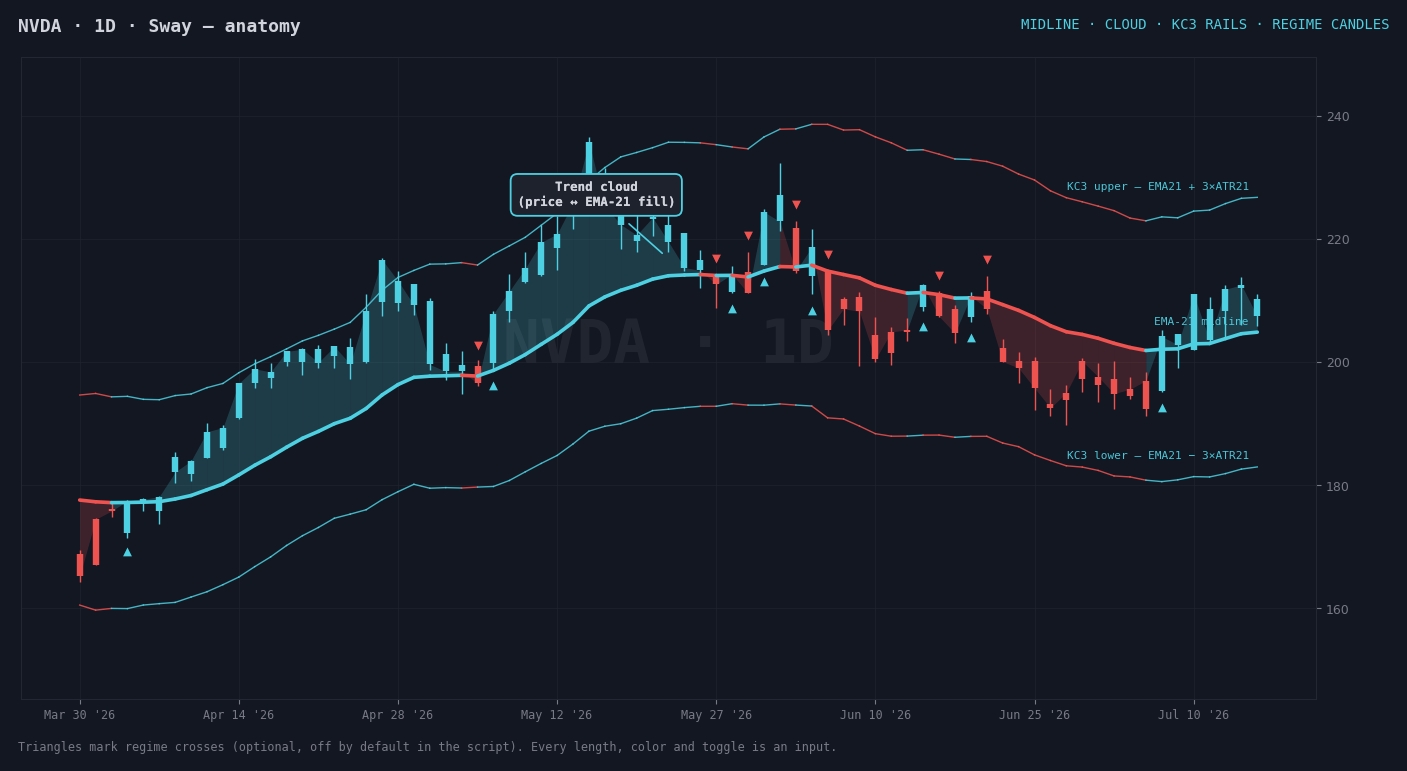
See the regime before you plan the trade. Sway paints your whole chart by one rule: is price above or below its EMA-21? The midline, a translucent cloud between price and the EMA, the wide Keltner rails (EMA-21 ± 3×ATR-21) and every candle all switch color together — teal while buyers are in charge, red when they're not.
What's on the chart
- EMA-21 midline — the dividing line between the two regimes,
colored by which side price closed on.
- Trend cloud — a translucent fill between price and the midline,
so the distance from "fair" is visible at a glance.
- KC3 rails — Keltner bands at EMA-21 ± 3×ATR-21 in the same regime
color; tags of the outer rails mark stretched, reversal-prone moves.
- Regime candles — every bar takes the regime color, so a flip is
impossible to miss even zoomed way out.
- Optional cross markers — small triangles at each close above /
below the midline (off by default; one toggle turns them on).
Every length, color and toggle is editable from the indicator's settings. Works on any symbol and timeframe TradingView supports — stocks, ETFs, futures, crypto.
Free with NBT Pro — not sold separately. Claim it below and the full Pine Script is revealed on the page (or emailed to your Pro address). Paste it into TradingView's Pine Editor and it's on your chart in about a minute. This is a charting tool, not financial advice — always do your own due diligence before any trade.
How you get access
Exclusive to NBT Pro — never sold separately. Go Pro and this script is yours to claim instantly.
Go Pro to claim it →NBT Pro includes every Pine Script — this one and Signal Stack.